Pocket money ·
Free Monthly Budget Template for Students (Sheets + Excel)
A free monthly budget template for students in India. Download the Excel file, open it in Google Sheets, and get your flexible spending and weekly limits.
By Weps Technology
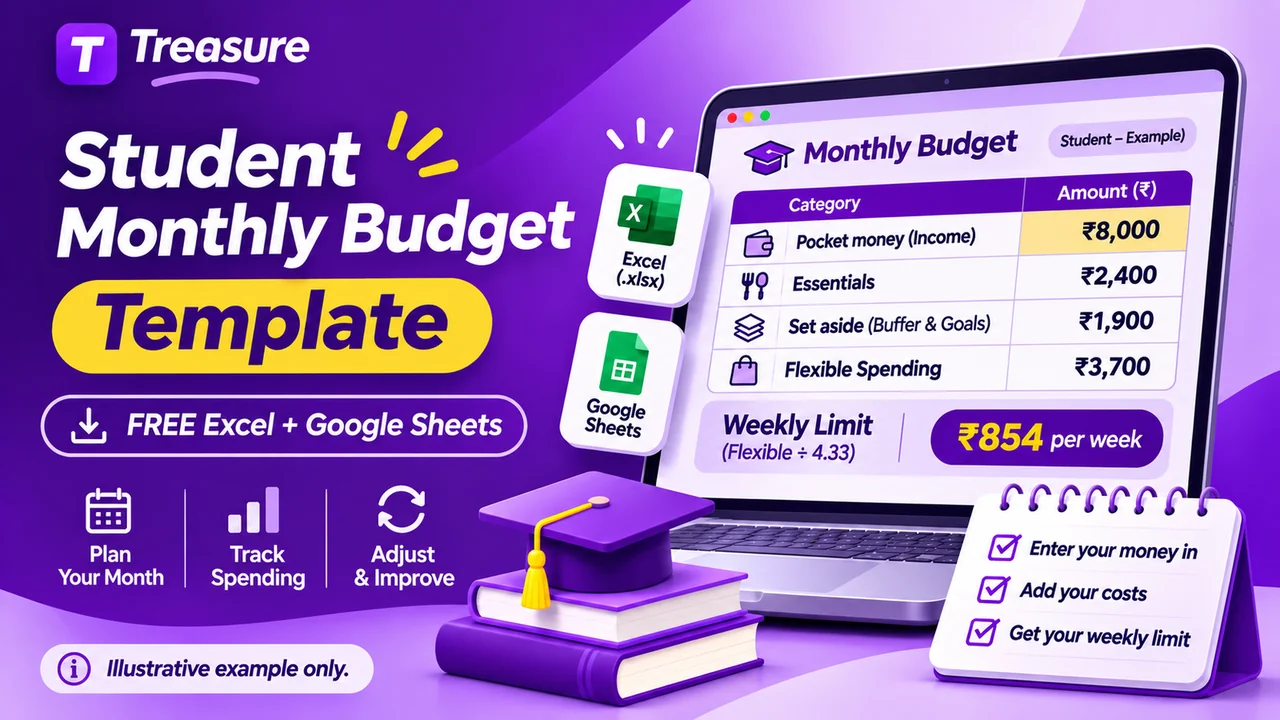
Quick answer: This is a free monthly budget template for students, as one Excel file that also opens in Google Sheets. You fill in the money you receive, the essentials you pay and the amount you want to set aside. The sheet then works out your flexible spending and splits it into weekly limits for the month. You do not need a Treasure account, and the file has no macros.
Download the student budget template (Excel, .xlsx)
The template follows the method from monthly budget examples for college students. If you have not fixed your monthly amount yet, start with how much pocket money a college student needs.
What is in the template
The file has three sheets.
| Sheet | What it is for | What you type |
|---|---|---|
| Monthly budget | The plan for the month, and the actual figures at month-end | The yellow cells: money in, essentials, set aside, flexible spending |
| Weekly check | Splitting the month's flexible spending into four weeks plus the days left over | The number of days in the month, and what you spent each week |
| Example | A filled-in ₹8,000 hostel budget, so you can see how it should look | Nothing. It is a made-up example, not a recommended amount |
Only the yellow cells are for typing. The totals, the flexible spending, the weekly limits and the "Does the plan add up?" line are calculated for you. The file has no macros and no connection to a bank, a UPI app or your messages.
How to open it in Google Sheets or Excel
Google Sheets:
- Download the file.
- Open Google Drive and upload it.
- Open the uploaded file and choose to open it with Google Sheets.
- To keep editing it as a Google Sheet, use File → Save as Google Sheets.
You can also open a new sheet and use File → Import to bring the file in. Google Sheets needs a Google account, and the file is then stored in your Google Drive. Google's help page on working with Excel files in Sheets has the details; menu names can differ by device.
Excel: open the downloaded file. If Excel shows it in Protected View, choose Enable Editing. The file has no macros.
Phone: the Google Sheets and Excel mobile apps can open it. Typing numbers works; the layout is easier to read on a bigger screen.
How to fill the Monthly budget sheet
Work from top to bottom. Use the Plan column now and the Actual column at the end of the month.
- Money in. Pocket money, a stipend or scholarship paid to you, and any other money that actually reaches you.
- Essentials. Rent you pay yourself, food and groceries, travel, study material, phone, and laundry and personal care. Leave out fees or rent that someone else pays directly.
- Set aside. A monthly share for occasional costs, such as exam forms or a trip home, and a buffer for surprises.
- Read the two calculated lines. Flexible spending available is money in minus essentials minus set aside. Average week is that amount × 12 ÷ 52, a rough guide for one week.
- Flexible spending. Split the flexible amount across food outside, outings and shopping, subscriptions and anything else.
- Check the last line. "Does the plan add up?" should say Yes.
What the check line tells you
| Message | Meaning | What to do |
|---|---|---|
| Yes | Every rupee of flexible money is planned, and the plan fits | Nothing |
| Some flexible money is not planned yet | Flexible rows add up to less than what is available | Give the rest a row, or move it to set aside |
| Enter your money in | The money-in rows are empty | Fill them first |
| Short: essentials and set aside are more than money in | The month does not work yet | Lower an essential or the set-aside amount, or talk to your family about the amount |
| Flexible plan is more than what is available | You planned more flexible spending than you have | Reduce one flexible row |
The Example sheet, in numbers
The Example sheet uses the same made-up ₹8,000 hostel budget as the earlier guide, where hostel and mess fees are paid separately by the family.
| Line | Example amount |
|---|---|
| Money in | ₹8,000 |
| Total essentials | ₹2,400 |
| Total set aside | ₹1,900 |
| Flexible spending available | ₹3,700 |
| Average week (₹3,700 × 12 ÷ 52) | ₹854 |
| Flexible spending planned | ₹3,700 |
| Does the plan add up? | Yes |
These figures only show how the sheet behaves. They are not typical costs for any city or college.
Using the Weekly check sheet
First type the number of days in the month (28 to 31) in the yellow cell at the top. The sheet then splits your flexible spending by days: four rows of seven days each, and a last row for the days after day 28.
Once a week, type what you spent from your flexible money. The last column shows what is left for that period, or a negative number if you went over. The five limits always add up to the flexible spending on the Monthly budget sheet.
With the example's ₹3,700 of flexible spending, the limits come out like this:
| Days in month | Each of weeks 1 to 4 | Days left | Total |
|---|---|---|---|
| 28 | ₹925 | ₹0 | ₹3,700 |
| 29 | ₹893 | ₹128 | ₹3,700 |
| 30 | ₹863 | ₹248 | ₹3,700 |
| 31 | ₹835 | ₹360 | ₹3,700 |
Why this is not ₹854: the ₹854 on the Monthly budget sheet is an average week across a whole year. Giving all five rows ₹854 would allow ₹4,270 in a month that has only ₹3,700. The Weekly check uses the actual length of the month instead, so the last row is always the smallest.
If you go over in one week, spend less the next week instead of dropping the plan.
Spreadsheet or app: an honest comparison
| Budget template (sheet) | Expense tracker app | |
|---|---|---|
| Planning the month | Good: the whole plan is on one page | Depends on the app |
| Recording a payment right after paying | Slow on a phone | Quick |
| Seeing spending by category | You add up the rows yourself | Usually shown in reports |
| Changing the layout | Fully in your control | Limited to what the app offers |
| Cost and sign-up | Free, no account for the file itself | Varies by app |
| Where the data lives | In your file, or your Google account if you use Sheets | With the app; read its privacy policy |
Neither is better for everyone. A sheet is strong at planning; an app is strong at recording. The two work well together: plan the month in the template, record payments during the month, and copy the category totals into the Actual column at month-end.
Treasure is an Android expense tracker that records income and expenses under categories and shows category totals in its reports. It does not import this template or set spending limits for you; you compare its totals with your plan yourself. The setup guide shows how to add a transaction, and how to track UPI spending without SMS access covers recording UPI payments by hand.

Common mistakes with a budget template
- Filling only the Plan column. Without the Actual column the sheet cannot show where the month went differently.
- Typing over a calculated cell. Type only in the yellow cells, or the totals stop updating.
- Counting fees someone else pays. If your family pays the hostel directly, leave it out.
- Treating money set aside as spent. It is a plan until you actually pay for something.
- Giving the last days a full week's limit. The days after day 28 get a smaller limit; the Weekly check does this for you.
- Copying only one sheet for a new month. The Weekly check reads from the Monthly budget sheet, so make a copy of the whole file each month.
Final takeaway
Download the template, fill the yellow cells, and let it work out your flexible spending and weekly limits. Check it once a week, fill the Actual column at month-end, and start the next month from what really happened.
Download the student budget template (Excel, .xlsx). For the daily habit that goes with it, see how to manage pocket money as a student. To record payments on your phone during the month, you can use Treasure on Google Play.
The template is a planning aid, not financial advice. All figures in the Example sheet are made up.
Frequently asked questions
Is the student budget template free?
Yes. It is one Excel file with no macros and no ads inside it, and you do not need a Treasure account to download it. You can copy and change it as you like.
Can I use the template in Google Sheets?
Yes. Upload the file to Google Drive and open it with Google Sheets, or use File, Import inside a new sheet. It uses only basic formulas such as SUM, IF and ROUND, which work in both Excel and Google Sheets. Google Sheets itself needs a Google account.
Can I use it on my phone?
Yes, in the Google Sheets or Excel mobile app. Entering numbers works, but the layout is easier to read on a laptop. For recording payments on the go, an expense tracker app is usually quicker than a sheet.
What does the average week figure in the template mean?
It is your flexible spending for the month multiplied by 12 and divided by 52, which is the average for one week across a year. It is a guide for food outside, outings and shopping, not a limit on rent or other essentials.
Why is the last row of the Weekly check smaller?
The first four rows each cover seven days. The last row covers only the days after day 28, which is zero to three days depending on the month. Its limit is whatever is left, so the five limits add up to your flexible spending for the month.
Does the template record UPI payments automatically?
No. It is a manual sheet with no connection to a bank, a UPI app or your messages. You type the figures yourself, or copy category totals from an expense tracker at month-end.
Should I use a spreadsheet or an app for my budget?
A spreadsheet is good for planning the month and seeing the whole budget on one page. An app is better for recording each payment as it happens. Many people plan in the sheet and record in an app.