How-to ·
How to Track UPI Spending Without SMS Permission in India
Track UPI spending without SMS access: manual entry, a weekly review of UPI history, or optional notification drafts. Avoid duplicates and count refunds right.
By Weps Technology
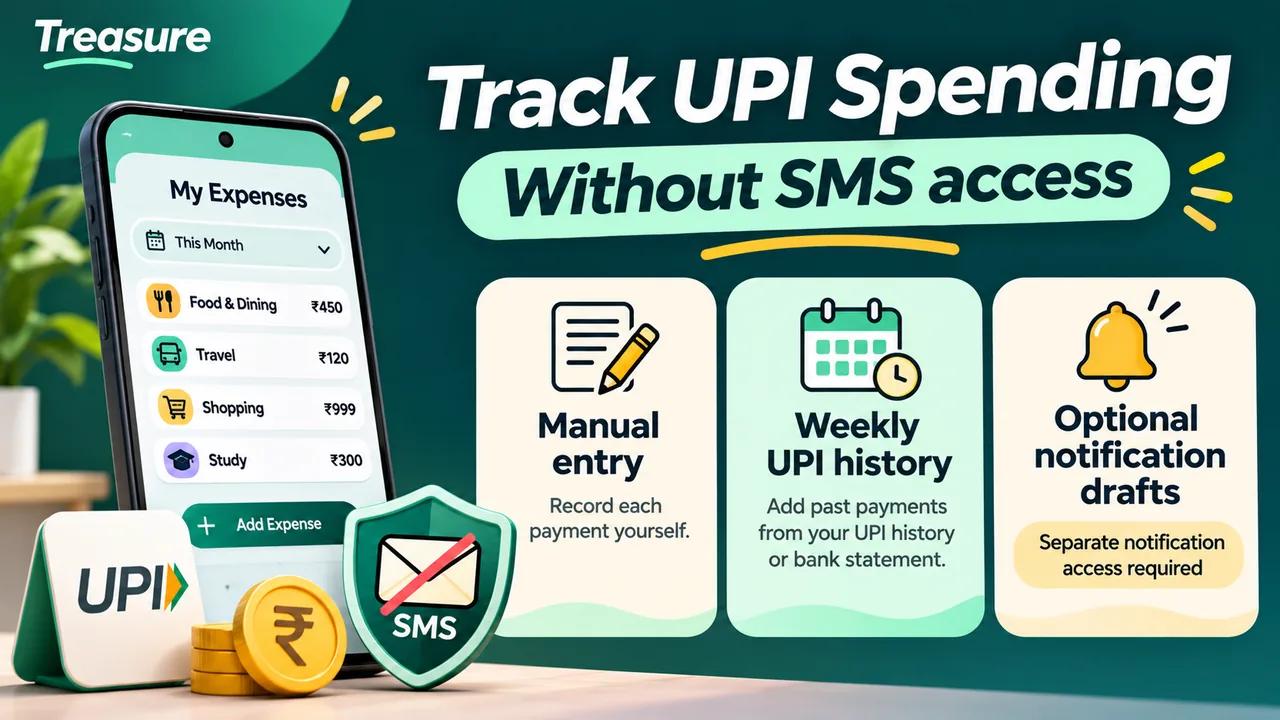
Quick answer: You do not need to give an expense tracker SMS access to track UPI spending. There are three ways: record each successful payment yourself, review your UPI transaction history and bank statement once a week, or use optional notification-based drafts if you are comfortable granting a separate notification access. The first two need neither SMS access nor notification access.
This guide is for students and working people in India who pay for food, travel, bills and everyday purchases by UPI. It compares the three methods, explains what each permission actually covers, and shows how to get a spending total that does not treat every debit as an expense.
Which method should you choose?
| Method | SMS access | Notification access | Main limitation |
|---|---|---|---|
| Manual entry after paying | No | No | You may forget an entry |
| Weekly review of payment history | No | No | You may forget what a payment was for |
| Notification-based drafts | No | Yes | Missing, hidden or duplicate alerts |
Start with manual entry if privacy is your main concern. Use the weekly review if you make many small payments. Notification drafts are a convenience, not a complete record of your bank account. None of this means an app needs no other permission or account; it only means you are not handing over your messages.
SMS permission vs notification access on Android
Banks send a text message for most payments, so an app that can read your SMS can build a spending list without any typing. The cost is that the SMS permission covers your messages, not only the bank ones: OTPs, delivery updates and personal conversations sit in the same inbox. Google Play limits which apps may use SMS permissions and for what; see Google's page on permissions that access sensitive information. That does not mean every expense tracker is barred from asking, so read what a given app requests.
Notification access is a different permission, and it is also sensitive. An app with notification access can read notifications posted by other apps, not just payment alerts. Android can hide some content from such apps; for example, Android 15 added OTP redaction for notification listeners.
Do not confuse either of these with the permission to show you notifications. On Android 13 and later, the notification runtime permission only lets an app display its own reminders. It does not let the app read anything.
Before turning on optional access in any app, check:
- What the app says it reads, and whether that is processed on your phone or sent to a server.
- Whether entries are added automatically or wait for you to confirm.
- How to turn it off, and whether the app still works without it.
Never give your UPI PIN or a banking OTP to an expense tracker. Recording a payment does not need either. NPCI, which runs UPI, publishes its own safety tips for UPI payments.
How to turn notification access off
You can withdraw notification access at any time:
- Open Settings on your phone.
- Search for Notification access. On some phones it is under Apps → Special app access; on others it is called Device and app notifications.
- Find the app in the list and switch it off.
Menu names differ between phone makers and Android versions. After switching it off, the app can no longer read notifications; anything it saved earlier stays until you delete it.
Method 1: Record each payment yourself
- Pay as usual on your UPI app and confirm that the payment succeeded.
- Open your tracker and add the amount with the actual date.
- Pick a category: food, travel, groceries, bills and so on.
- Add a short remark when the payee's name will not explain the purchase later.
- For a shared bill, record your own share as spending and note the rest as money to come back.
A ₹120 auto ride belongs under travel, not under a general "UPI" label. The payment method tells you how you paid; the category tells you why.

Manual entry works because you know what the payment was for. It can still contain typing mistakes, so compare it with your payment history now and then.
Method 2: Review your UPI history once a week
If recording every payment does not suit you, do it once a week.
- Fix a day and time, for example Sunday evening.
- Open the transaction history in each UPI app you use, and the statement of the account that was debited.
- Add the successful payments that are not in your tracker yet, with their actual dates.
- Keep loans, shared bills and transfers to your own accounts apart from your own spending.
- Leave pending payments on a separate list until their final status is clear.
- Add cash spending, even as one rounded entry. Do not count both the ATM withdrawal and the things you bought with that cash.
The weakness is memory. A payment to a person's name tells you who received the money, not what it was for.
Do not record the same payment twice
One ₹450 grocery payment can produce an alert in the UPI app, another from the bank, a line in the statement and an entry you typed yourself. Count the purchase once. Match by amount, time, account and the transaction reference when you have one. Do not merge two genuine purchases just because the amounts are equal.
If money was debited but the payment failed or is still pending, check its status in the payment app and, if needed, contact the bank or provider through its official support. An alert on its own is not proof that a payment went through.
Method 3: Drafts from payment notifications
UPI and banking apps usually show a notification when a payment goes through. Some trackers can read those notifications and prepare an entry for you. Review every draft before saving it: a missing alert, hidden content, a changed message format or two alerts for one payment can make a draft incomplete or wrong.
How Treasure handles it
Treasure is an Android expense tracker. It does not request the SMS permission, so it cannot open your message inbox; its privacy policy says the same. It has an optional feature called Auto-fill from bank alerts, which stays off unless you turn it on and grant notification access. Here is what it does when it is on:
- What it looks at: notifications from UPI and banking apps, and from your phone's messaging app. So a bank alert that arrives as a text message and shows up as a notification can be picked up, even though the app has no SMS permission.
- What it skips: alerts that look like OTPs or verification codes, and notifications from other apps.
- What it creates: a draft with the amount, whether it is income or an expense, a suggested category and a remark taken from the first part of the alert text.
- Where the draft goes: it is saved in your Treasure account as a pending entry, and it waits for you to approve, edit or reject it.
- How to stop it: switch it off in Menu → Manage permissions, or withdraw notification access in Android Settings as described above. The app works fully without it.
To be clear about what this is not: Treasure uses an account and stores the transactions you save, so it is not an offline-only app, and auto-fill cannot see payments that produce no notification. If privacy is your main concern, start with manual entry and read the policy before turning anything on.

Which UPI payments count as your own spending?
Whichever method you use, some payments need a decision before they go into your reports.
| Payment | In your spending | In your cash flow |
|---|---|---|
| Groceries or rent for yourself | Count it | Money out |
| Dinner paid for four people | Count your share | Full amount out; the rest is owed to you |
| Money lent to a friend | Not spending | Money out, and a loan to get back |
| Transfer to your own other account | Not spending | Only a move between accounts |
| A gift | Count it | Money out |
| A refund that has arrived | Reduce the original purchase, or record it as money in with a clear remark; count it once | Money in on the refund date |
| A friend repaying their share | Not earnings; it settles what was owed | Money in |
| A failed or pending payment | Wait for the final status | Check any debit or reversal |
A UPI debit is not always an expense. If every debit goes in as spending, your monthly total will look higher than what you really spent. If your tracker has only income and expense entries, keep a short separate note of who owes you what. For shared bills, Treasure also has groups for tracking shared expenses; check how group entries appear in your reports before adding them to your personal total.
Worked example: ₹3,619 paid, ₹1,419 spent
The figures below are made-up examples, not real user data. Assume every payment succeeded and the other three people at dinner owe equal shares.
| Payment | Paid by UPI | Your spending | Owed to you |
|---|---|---|---|
| Canteen and tea | ₹420 | ₹420 | ₹0 |
| Metro card recharge | ₹300 | ₹300 | ₹0 |
| Dinner for four | ₹1,600 | ₹400 | ₹1,200 |
| Loan to a friend | ₹1,000 | ₹0 | ₹1,000 |
| Mobile recharge | ₹299 | ₹299 | ₹0 |
| Total | ₹3,619 | ₹1,419 | ₹2,200 |
Paid: ₹3,619. Spent: ₹1,419. Owed to you: ₹2,200. The ₹2,200 is not money in your account, and getting it back is not certain.
- If your friends repay the ₹1,200 later, your net money out becomes ₹2,419 and ₹1,000 is still owed. Your spending stays ₹1,419.
- If a ₹100 refund arrives for one of your own purchases, your spending becomes ₹1,319.
- The metro recharge is counted once, when you recharge. Do not also add each ride paid from that balance.
A weekly UPI checklist
| Check | What to do |
|---|---|
| Payment status | Confirm success, pending or reversed |
| Duplicates | Match one payment across the app, the bank and your own entries |
| Category | Choose the real reason for the payment |
| Shared bills | Record your share; note what is owed to you |
| Refunds | Link a refund that has arrived to the original purchase |
| Cash | Add cash spending without counting the withdrawal too |
| Reports | Compare category totals with your budget |
Start with the last seven days and repeat it every week. For the wider habit, see how to track income and expenses on Android and how to know where your money goes.
Final takeaway
You can track UPI spending with no SMS access: record payments as you make them, or review your UPI history every week. Notification-based drafts save typing, but that is a separate permission and it is your choice. Whatever the method, count each payment once and sort out the payments that are not really spending before you read the monthly total.
To try it, follow the Treasure setup guide or get Treasure on Google Play and enter your next payment by hand.
This guide is general education about money records and app permissions. It is not an assurance about any app's security, and it does not replace checking a payment's status with your bank or payment provider.
Frequently asked questions
Can I track UPI spending without giving SMS permission?
Yes. You can record each successful payment yourself, or review the transaction history in your UPI app and your bank statement once a week. Neither method needs SMS access or notification access in your tracker.
Is notification access the same as SMS permission?
No. SMS permission lets an app read your text messages. Notification access lets an app read notifications shown on your phone, including those from other apps. Android can hide some sensitive notification content, but both permissions deserve a careful look before you grant them.
Can I track payments made from more than one UPI app?
Yes. Review the history in each app and compare it with the bank statement of the account that was debited. Record each payment once, not once per app or per alert.
Does Treasure read my SMS?
Treasure does not request the SMS permission, so it cannot open your message inbox. It has an optional auto-fill feature, off unless you turn it on, that reads payment notifications. That includes a bank alert your messaging app shows as a notification. Each one becomes a draft that you approve, edit or reject, and the app works without the feature.
Does this work with Google Pay, PhonePe and Paytm?
Yes. Manual entry and the weekly review do not depend on which UPI app you pay with. Each app has its own transaction history, so if you use more than one, review each of them and record every payment once.
How do I turn off notification access for an app?
On most Android phones, open Settings, search for "Notification access" (on some phones it is under Apps, Special app access), and switch the app off. Menu names vary by phone. In Treasure you can also switch auto-fill off in Menu, Manage permissions.
How should I record a UPI refund?
Once the refund has actually arrived, either reduce the original purchase by that amount or record it as money in with a clear remark. Do one or the other, not both, and do not count a refund you are still waiting for.
Is money sent to a friend on UPI always an expense?
No. Your share of a bill and a gift are spending. A loan, a repayment or a transfer between your own accounts is not, even though the money has left your account.